

Get the VIP Experience
Subscribe to Moovit+, track your line’s location, and ride ad-free
 Ad-free
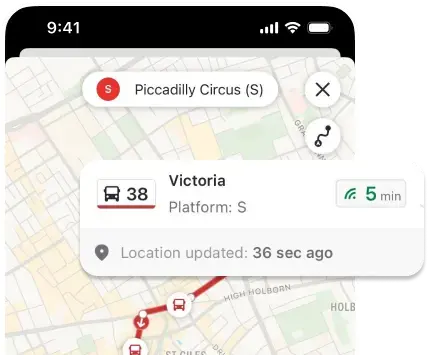
- Line tracker
- Share route progress
- Compare routes
- Add safety contacts
- Live arrival updates

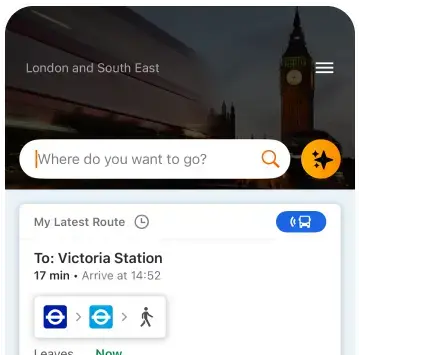

Stop wasting time at the station. Know your lines ETA ahead of time
*in eligible areas
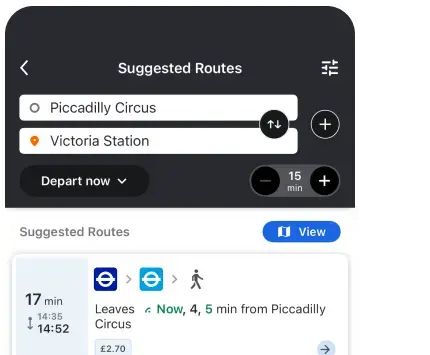
All lines, all transit options: Bus, train, subway, tram, bikes - we’ve got you covered
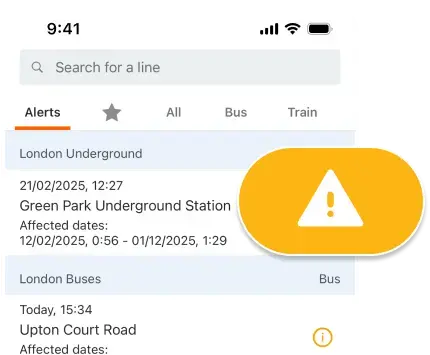
Be informed about unexpected changes in your route
 Users
Users Cities
 Countries
 Store ratingsAd-freeLine trackerShare route progressCompare routesAdd safety contactsLive arrival updates



Moovit is an amazing app! It’s very accurate, reliable, and easy to use.

Sono molto soddisfatto. Ottimo strumento per chi vuole viaggiare comodamente programmando sui mezzi pubblici.

Moovit will simplify your life a ton!

The most efficient app I have ever used across the globe. Truly a life saver.

Gosto da precisão dos horários do ônibus e também da facilidade para usar.

Fácil manejo, instrucciones muy claras, facilita el desplazamiento en un 100%. RECOMENDABLE.

All schedules are up to date and I rarely have a problem with late buses or trains.
Moovit is an amazing app! It’s very accurate, reliable, and easy to use.
Sono molto soddisfatto. Ottimo strumento per chi vuole viaggiare comodamente programmando sui mezzi pubblici.
Moovit will simplify your life a ton!
The most efficient app I have ever used across the globe. Truly a life saver.
Gosto da precisão dos horários do ônibus e também da facilidade para usar.
Fácil manejo, instrucciones muy claras, facilita el desplazamiento en un 100%. RECOMENDABLE.
All schedules are up to date and I rarely have a problem with late buses or trains.
Everything you need to know about using Moovit
 Data from official transit agenciesTransit information verified by our teamReal-time transit updatesService alerts for unexpected changesPublic transit data in 100+ countries